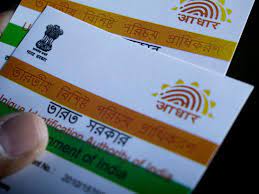
The Unique Identification Authority of India (UIDAI) shared seven measures to secure Aadhaar from being misused or preventing Aadhaar fraud.
UIDAI lists 7 measures to prevent Aadhaar fraud
1. Aadhaar verification
The government said Aadhaar should be verified before accepting it as identity proof. “All 12-digit numbers are not Aadhaar. So it is recommended that the Aadhaar should be verified before accepting it as identity proof. In order to verify Aadhaar online, one needs to visit the official website – myaadhaar.uidai.gov.in/verifyAadhaar,” UIDAI said.
2. Aadhaar OTP
Aadhaar OTP is a convenient and powerful tool to use Aadhaar authentication from anywhere. Use it yourself. Never share it with anyone else for use on your behalf. To check the mobile number on which you will receive Aadhaar OTP.
3. Aadhaar Authentication history
You can check the Aadhaar authentication history of up to 50 authentications in the past six months. The exact date and time of authentication are mentioned in the results, which can help you notice if there’s an unintended authentication entry.
4. Downloading Aadhaar on public computer
It is important to know that using official UIDAI website should always be the preferred option to generate Aadhaar. If you have used a public computer to download, don’t forget to delete the downloaded file.
5. Lock your Aadhaar biometrics
Lock your Aadhaar biometrics to prevent any possible misuse by anyone. To lock/unlock your Aadhaar, use the Aadhaar App or click on the link: resident.uidai.gov.in/aadhaar-lockunlock. Please note that your VID is mandatory for this service.
6. Masked Aadhaar
If you don’t want to disclose your Aadhaar number, then you can use VID or Masked Aadhaar, it is valid and accepted widely. Mask Aadhaar option allows you to mask your Aadhaar number in your downloaded e-Aadhaar. Masked Aadhaar number implies replacing of first 8 digits of the Aadhaar number with some characters like “xxxx-xxxx” while only last 4 digits of the Aadhaar Number are visible.
7. Updated mobile number in Aadhaar
Always keep your mobile number updated in Aadhaar. If you have any doubt about whether your correct mobile number or email has been linked with Aadhaar, you can verify the same using this link: myaadhaar.uidai.gov.in/verify-email-mobile.”